


Prioritise rooms for early arrivals
Stay operations, Housekeeping plan
Reception can see how cleaning is progressing.
Who is cleaning each room, and which needs to be ready first? Assign work around arrivals, departures and stayovers. Reception can see the saved cleaning and room-release status.
Housekeeping plan
See who is responsible for each room.
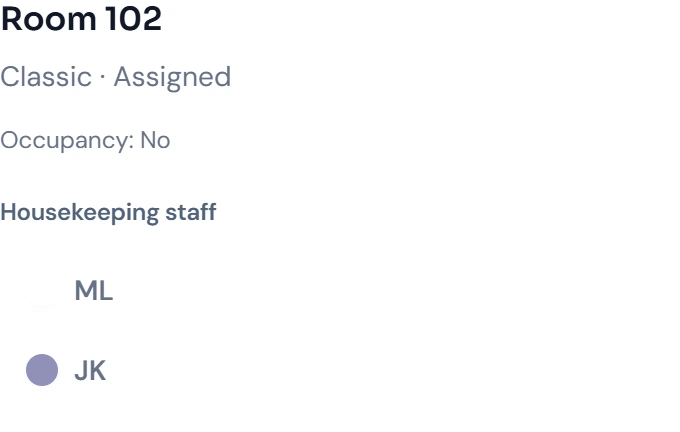
Room 102 still needs cleaning and is assigned to JK. The room detail shows who is responsible, while the overview keeps cleaning progress visible.

Housekeeping plan
Assign responsibility for each room
Share cleaning progress with reception
Plan stayovers separately from departure rooms
Check tasks before releasing a room
Print the daily plan in the team’s language
How it works in your hotel
- 01Daily plan from arrivals, departures and stayovers
- 02Assign rooms manually or automatically
- 03Status: dirty, clean, inspected, do not disturb
- 04Progress from accepted to ready
- 05Checklists per room status
- 06Record minibar consumption right at the room
- 07PDF plan in 18 languages
- 08Daily plan sent by email
Four practical jobs in daily hotel operations.
Early arrival at 11 am
The room for the early guest moves up the plan. As soon as it is released, reception sees it as ready.
Stayover with ‘Do not disturb’
If the sign is on the door, the team sets the status. Reception sees it immediately without having to ask on the floor.
A plan the team can read
Choose the team’s language before exporting the PDF. Rooms, assignments and tasks appear together in the daily plan.
Plan before the shift starts
With the daily email scheduled for 6.30 am, the head housekeeper receives the plan as a PDF before the shift starts.
Works for apartments and holiday homes too
After every departure, the unit goes into the cleaning plan. For apartments, the final cleaning comes on top.
Cleaning after departure
Vacated units appear in the plan automatically, with those occupied again today at the top.
Interim cleaning and linen change
For longer stays, you decide how often a unit is cleaned in between and how often the linen is changed.
Final cleaning, clearly itemised
The mandatory final cleaning is its own extra. The guest sees it when booking, and it appears as a separate line on the invoice.
Apartment housesHoliday homes and flatsHotel with apartments
Common questions: Housekeeping plan
What is the STRYK housekeeping plan?+
The daily plan derives room work from real occupancy, arrivals, departures, stayovers, room state and property configuration. It is not a separately maintained second calendar.
How does housekeeping help a small hotel?+
Even with few employees, it is immediately clear which room needs work, why and who owns it. Front desk and cleaning share the same state without paper lists, call chains or messaging groups.
Where do rooms in the daily plan come from?+
STRYK reads stays, departures, arrivals, stayover situation and current room state for the selected date. The team does not recreate a detached list manually every day.
How are rooms assigned to employees?+
Active housekeeping employees are maintained centrally and assigned to the appropriate rooms in the daily plan. Every authorised employee immediately sees the same current allocation.
Which steps does the cleaning workflow use?+
An assigned job is started, marked complete after work and released when room quality is met. This status sequence prevents started work from appearing immediately as a ready room.
What does “Ready” mean?+
Ready means a vacant, cleaned room released for the next check-in. It deliberately differs from completed daily service in a stayover room that remains occupied.
What does “Stayover service complete” mean?+
Daily service for a room that remains occupied is complete. The room remains a guest room and is not interpreted as vacant or sellable for a new arrival.
How do housekeeping checklists work?+
The property maintains tasks centrally for each active housekeeping state. The same steps appear in the digital daily plan and PDF printout so quality standards do not diverge across two lists.
Which special states can the property enable?+
Housekeeping-specific states such as supervisor approved and do not disturb can be enabled. Technical defects, renovation or out of order belong in rooms and blocks because they change availability.
Does a housekeeping state block availability?+
Normal cleaning and quality states do not automatically change sellable inventory. Real unsellability is managed through room blocks, maintenance, renovation or deactivation so availability keeps one authoritative source.
How does front desk see current room state?+
The housekeeping plan, room centre and calendar use shared status logic and update the operational room context. As soon as housekeeping reports a room as finished in STRYK, front desk sees it, without an extra phone call.
Can housekeeping work on mobile?+
Yes. In the STRYK app for iPhone and Android, housekeeping sees assigned rooms and sets the status with one tap. The daily plan is also available printed or by email.
Is there a housekeeping PDF plan?+
Yes. Preview, download and print show the same daily plan with rooms, responsibilities and tickable tasks. The team works from the same information on paper and in STRYK.
Can the plan be exported in several languages?+
Yes. Before exporting, you choose one of the 18 STRYK languages. Preview, print and download stay in the same language.
Can the daily plan be sent by email?+
Email delivery becomes available once sender and recipients are fully configured. Until then, the plan can be downloaded and printed reliably.
Where are housekeeping employees managed?+
Active employees are maintained exclusively in central housekeeping settings. Operational views assign those existing people and do not build a second local team list.
Which permissions does a housekeeper need?+
The role receives the daily plan, personal assignments, tasks and permitted room states. Full guest profiles, pricing, finance and user administration remain reserved for the responsible roles.
What happens when a status update cannot be saved?+
STRYK shows the error immediately and keeps the last confirmed room status. Front desk and housekeeping therefore do not work with conflicting information.
How should a property introduce housekeeping?+
First configure states, employees, checklists and responsibilities. Then test departure, stayover, new arrival, assignment, feedback to front desk, ready state and PDF completely on one safe test day.
What does housekeeping cost in STRYK?+
Housekeeping, team, checklists, daily plan and PDF are included in every STRYK pricing plan, with no set-up fee or separate module.
What can you try in housekeeping in your demo access?+
In your demo access you plan departures and stayovers, assign rooms, tick off tasks and report finished rooms back to front desk. You then compare the operational view with the PDF daily plan.
How does housekeeping remain connected to the calendar?+
Calendar and housekeeping read the same stay, room context and operational state logic. A booking change alters daily demand, while a room release becomes visible for the next arrival.
Which metrics does the housekeeping report show?+
The report shows relevant occupancy and work figures for the selected period. Preview, PDF and Excel-compatible export use the same filters.
Could Housekeeping plan work for your hotel?
14 days free. All STRYK core apps included. No setup fee; optional AI modules are separate.
