


Create walk-ins with an available room and rate
Stay operations, Bookings & reservations
Keep the room, dates and charges on one booking.
An evening walk-in, two rooms for a family or a longer stay: record the guest, dates, room and rate together. See charges and allocated payments on the same booking.
Bookings & reservations
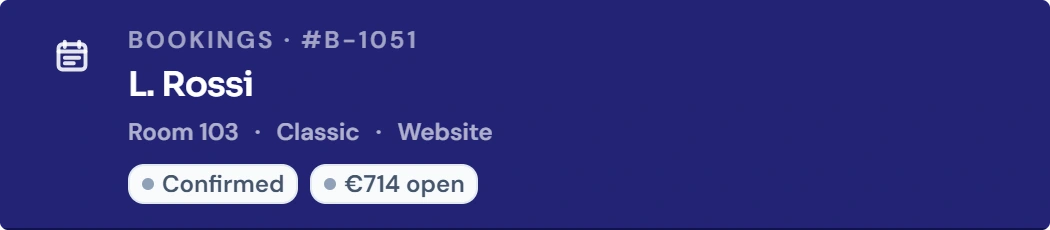
Guest, room and status on the booking.
B-1051 is L. Rossi’s booking for room 103. Open it from the calendar to check the guest, room allocation and booking status together.

Bookings & reservations
Manage several rooms under one booking
Check availability before extending a stay
Use an existing guest profile for a new booking
Handle room moves on the current stay
Review charges and allocated payments
How it works in your hotel
- 01Create reservations, walk-ins and multi-room bookings
- 02Book a category, assign the actual room later
- 03Guest search with duplicate check before creating
- 04Change dates, room and guest count with checks
- 05No-shows and cancellations per your cancellation policy
- 06Tags and internal notes for shift handover
- 07Import bookings through configured portal connections
- 08Export the booking list as CSV or Excel
Four practical jobs in daily hotel operations.
Walk-in at 9 pm
A couple arrives at reception without a reservation. Reception sees the free double room, takes the price from the rate and creates the booking.
Family with two rooms
Parents and children arrive together. One booking keeps contact details and invoice together, while occupancy and price stay visible per room.
Two more nights
The guest decides to stay on. STRYK checks whether their room stays free and otherwise shows the conflict so you can choose another room.
Company invoice at departure
Accommodation, restaurant charges and the deposit can be checked on the stay. Review the company address, charges and allocated payments before issuing the invoice.
Common questions: Bookings & reservations
What is a booking in STRYK?+
A booking is the shared process for dates, guests, rooms, rate, services, payment, communication and status. Changes flow from there under control into the other hotel areas.
Which reservations can STRYK manage?+
STRYK manages manual reservations, walk-ins, direct bookings, multi-room stays and connected booking contexts in the same operational structure. Source and channel remain distinguishable on the stay.
How does front desk create a new booking?+
First dates and available category or room are checked, followed by existing guest, occupancy, rate and price. Before saving, STRYK checks capacity again and shows missing required details.
How does STRYK prevent duplicate guests?+
During booking creation, the team first searches by name, email and matching details. An existing profile is reused so stays, messages and finance history are not split across several guests.
Can one booking contain several rooms?+
Yes. Multi-room bookings keep shared guest and booking information together while dates, room assignment, occupancy and price remain reviewable for each stay segment.
Can a room category be booked before assigning a room?+
Yes. A stay can first remain on the appropriate category and be assigned to a specific free room later. The later assignment rechecks occupancy, blocks and overlaps.
How does STRYK handle room conflicts?+
Before a booking, room move or extension, STRYK checks free capacity again. Occupied or blocked rooms cannot be assigned twice.
Can a stay be extended or shortened?+
Yes. New dates are checked against room, availability, price and existing overlaps. The confirmed change then updates calendar, housekeeping, services and the wider booking context.
How do check-in and checkout work?+
Front desk manages status directly on the correct stay. Guest and room readiness are reviewed before check-in, and services, invoice, payment and open balance before checkout.
How are no-shows and cancellations handled?+
No-show and cancellation are traceable booking states that affect capacity, finance, communication and history. STRYK does not simply remove the stay from the record.
Can the team organise bookings with tags and notes?+
Yes. Tags and factual internal notes support priorities, special cases and handovers. They remain visible on the process and replace private notes or uncontrolled messaging threads.
How do messages remain connected to the booking?+
Guest communication is managed as a conversation on the specific stay. Direct bookings use email context while connected OTA bookings use their booking channel; the channel is not selected arbitrarily.
How are services and payments assigned?+
Services from stay, front desk, minibar or POS remain assigned to the correct booking and finance context. Payments reduce the open balance traceably with date, amount and method.
How does STRYK handle virtual cards?+
When a booking carries OTA or virtual-card context, it remains visible on the stay only to authorised employees. Display and use follow applicable security rules.
Where do rate and rate plan come from?+
The booking uses the rate plan and price valid for dates, room product and sales path. Manual changes remain explicit on the process and must not silently overwrite central pricing logic.
How does STRYK protect availability?+
Bookings, room occupancy, blocks and category capacity use the same available inventory. Immediately before confirmation, STRYK checks the current status and protects against parallel double bookings.
How do direct bookings enter STRYK?+
Before confirmation, the booking engine checks the rate, availability, policies and final free capacity. The direct booking then appears exactly once, complete for front desk, calendar and guest service.
How do OTA bookings enter STRYK?+
The channel manager receives new, modified and cancelled portal reservations with a unique external reference. STRYK maps them to the correct property, room product and rate plan and prevents duplicate intake.
Can front desk manage bookings on mobile?+
STRYK runs in the browser and as the STRYK app for iPhone and Android. Authorised staff can search, open, create and edit bookings at any workstation with a browser. Saved changes are visible to the whole team straight away.
Which roles may change bookings?+
The property grants booking, check-in, pricing and finance permissions according to responsibility. Housekeeping sees the necessary room context but does not automatically gain rights to change rates or invoices.
Which booking reports are available?+
For a selected period, the relevant booking figures can be reviewed and exported as PDF or an Excel-compatible file. Preview and export use the same filters.
What does booking management cost?+
Bookings, calendar, guests and finance are part of the core STRYK package, with no set-up fee. Guest AI and Pricing Intelligence are optional add-on modules priced separately. External partners such as the payment provider may charge their own fees.
What can you try with bookings in your demo access?+
In your demo access you create a multi-room stay, change dates and rooms, complete check-in and checkout, and add a service, partial payment and invoice. Every change becomes visible in the calendar immediately.
Could Bookings & reservations work for your hotel?
14 days free. All STRYK core apps included. No setup fee; optional AI modules are separate.
