Skip to content
For housekeeping teams

Room ready. Reception knows.

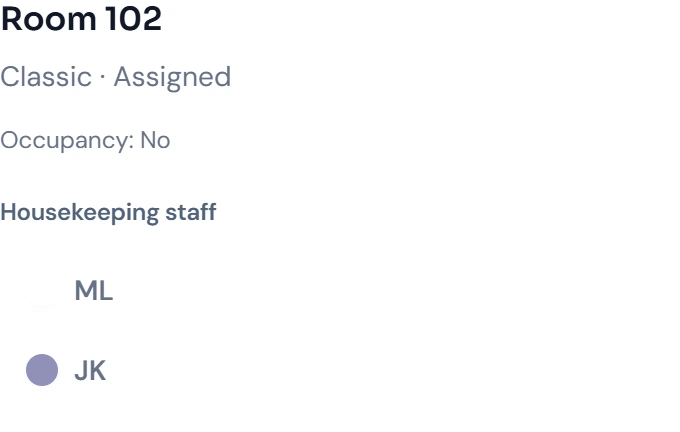
Housekeeping sees departures, stayovers and tasks in the cleaning schedule. When the team marks a room ready, reception can check its status and prepare for the next arrival.

  • Schedule based on actual occupancy
  • Personal assignments
  • Cleaning schedule also as a PDF in 18 languages

STRYK for housekeeping teams

Daily tasks from real occupancy

Clear daily plans, priorities and assignments replace paper lists and calls.

STRYK for housekeeping teams
STRYK for housekeeping teams, Inside the product

In short

STRYK is hotel software in which housekeeping and front desk work from the same plan. Every morning the cleaning plan is built from departures, stayovers and arrivals, can be distributed automatically and shows the front desk as soon as a room is ready. For the team, the plan is available as a PDF in 18 languages.

One plan for housekeeping and reception.

Which rooms have departures today, which guests are staying and which room is needed for the next arrival? Housekeeping needs that information to assign the work. Reception needs to know which rooms have been prepared.

STRYK builds the cleaning plan from occupancy. Your team assigns rooms, reads the relevant notes and updates progress. Room moves and extended stays can be taken into account in the system.

Reception sees the updated room status and can prepare the arrival. Staff working on paper can receive a PDF plan in one of 18 languages. After changes, issue a new copy when needed.

What slows head housekeepers and floor teams down

01

The morning plan is out of date by ten

Early arrivals, late check-outs, extensions and room moves come in during the morning. A printed plan does not know about them. Updating it costs time, and forgetting means cleaning the wrong room first or standing at a door with the guest still asleep behind it.

02

Constant back-and-forth between front desk and floor

The front desk wants to know which rooms are done, the floor wants to know who else is leaving today. Each of these questions costs a call, a walk or a message. In the peak between 11 am and 3 pm so many interruptions pile up that cleaning and reception both grind to a halt.

03

Changing teams and several languages

Seasonal staff, temps and contract cleaners do not know the property and often speak a different language from the front desk. Without clear, understandable instructions, quality depends on whoever happens to be explaining. New colleagues need days to learn what is different in a stayover compared with a departure.

04

Requests and small details get lost

The cot for 305, the hypoallergenic bedding, the minibar to restock or the broken hairdryer sit in a note at the front desk, but not where the room attendant can see them. In the end the guest notices, and the head housekeeper only finds out from the complaint.

Less coordination, fewer trips, more calm before arrivals.

The plan printed in the morning is often out of date by ten: an early arrival, a late check-out, a room move. Then it’s phone calls, searching and walking the same corridor twice.

In the morning

The plan is set

Departures, stayovers and early arrivals are sorted by priority and assigned to the team.

During the shift

Everyone knows what’s next

Checklists, guest requests and notes are right there with the room. The status updates as each job is done.

Before arrival

Reception sees: ready

Once a room has been cleaned and inspected, reception sees it straight away and can check the guest in.

A housekeeping day with STRYK

This is how a typical day runs when occupancy, cleaning plan and room status come together in one system.

  1. Early: the plan is already in the inbox

    STRYK creates the day plan from current occupancy and, if you wish, sends it every morning as a PDF by email. Departures, stayovers and early arrivals are marked; blocked rooms are left out. The head housekeeper checks the plan over her first coffee instead of piecing it together from lists. Every team member can receive their plan in their own language.

  2. Assignment: sharing rooms across the team

    Rooms are assigned to team members, by hand or automatically. The head housekeeper sees at a glance who has how many departures and stayovers and rebalances when someone is ill or arrives late. If the allocation changes, the plan is simply issued again instead of being corrected with a biro.

  3. Morning: changes arrive on their own

    The front desk moves a guest from 112 to 118 or extends a stay by one night. The change appears directly in the plan, without a call to the floor. Requests such as a cot or hypoallergenic bedding are attached to the room as a note. Checklists for departure, stayover and minibar make sure nothing is forgotten.

  4. Midday: inspection and release

    Once a room is cleaned, it is set to “clean”. The head housekeeper inspects it and releases it. From then on the front desk sees “ready” in the calendar and can check in the early guest. Rooms marked “Do not disturb” stay visibly flagged so nobody forgets them in the afternoon.

  5. Afternoon: wrapping up without chasing

    Before the main arrival wave it is clear which rooms are done, which are still open and which are blocked. Minibar consumption is posted to the stay and therefore to the invoice. Whatever was not done today is back on tomorrow’s plan. The front desk does not have to call, the floor does not have to ask.

What is included for housekeeping

  • Day plan from real occupancy

    Departures, stayovers, arrivals and room blocks come straight from the bookings. So the plan is always as up to date as the calendar at the front desk, even after room moves or extensions.

  • Manual or automatic assignment

    Distribute rooms yourself or let STRYK suggest an allocation. The head housekeeper has the final say and can re-plan at any time if someone drops out or a floor takes priority.

  • Room status for floor and front desk

    Dirty, clean, inspected, ready and “Do not disturb”: every status is equally visible to front desk and housekeeping. Status colours and tasks are configured to suit your property.

  • Checklists per cleaning type

    Your own checklists for departure, stayover or deep cleaning define what needs doing in which room. New colleagues work to your property’s standard from day one.

  • Minibar posted straight to the stay

    Drinks and snacks taken are recorded at the room and posted to the guest’s stay. The front desk no longer has to ask at check-out, and nothing is missing from the invoice.

  • PDF plan in 18 languages

    The cleaning plan is available as a PDF in 18 languages, including Hungarian, Croatian, Romanian, Polish and Ukrainian. Every team member understands their rooms and notes without the head housekeeper having to translate.

  • Daily delivery by email

    If you wish, STRYK sends the plan automatically by email every morning, to the head housekeeper, to the team or to a cleaning contractor that does not work in the system itself.

  • Notes and tasks on the room

    Guest requests, small repairs and notes from the front desk are attached to the room and the stay. Automations can create a housekeeping task before arrival, such as “Set up cot”.

Does STRYK suit your housekeeping?

A good fit if …

  • your front desk still phones or walks up to the floor to ask whether a room is ready.
  • your team is made up of several nationalities and needs plans in its own language.
  • you work with seasonal staff or a cleaning contractor who need to be productive quickly.
  • your head housekeeper wants to inspect rooms and only then release them for arrival.

Less suitable if …

  • room status and door access must be linked through a locking system or key cards, STRYK does not offer this kind of integration.

How to get started with housekeeping in STRYK

You do not have to switch everything at once. Many properties start with the printed plan and add room status as a second step.

  1. Create a trial account

    You test STRYK for 14 days with your own rooms and categories. During this time the head housekeeper can set up status colours, checklists and the plan template and see what the day plan looks like for your property.

  2. Transfer data and do a test run

    We transfer rooms and existing bookings with a test run before anything becomes final. That lets you check the plan for a real week before you switch off your current system. You create logins for the team, the number of users is unlimited.

  3. Go live with the first real plan

    On day one the team receives the new PDF plan in its own language, and the front desk sees room status in the calendar. After a week it is usually clear which checklists and tasks you still want to add.

What hoteliers want to know before they start

Do our room attendants need their own login?+

Not necessarily. They can work from the printed or emailed PDF plan while the head housekeeper updates the status. Anyone who should work in the system directly gets their own login with suitable permissions. Since STRYK does not count users, an extra login costs nothing, billing is per room.

How does the front desk find out that a room is ready?+

As soon as the head housekeeper has inspected and released a cleaned room, the status changes to “ready”. The front desk sees this in the calendar and the arrivals list and can check the guest in without phoning the floor. Whether you use the intermediate “inspected” step is up to you.

Which languages is the cleaning plan available in?+

The PDF plan is available in 18 languages: German, English, Hungarian, Italian, French, Croatian, Czech, Polish, Romanian, Slovak, Dutch, Swedish, Danish, Spanish, Portuguese, Slovenian, Bulgarian and Ukrainian. Every team member can receive their plan in the language they understand best.

What happens to the plan when a guest changes rooms?+

The plan follows the booking. If the front desk moves a guest from 112 to 118, 112 becomes a departure and 118 a stayover or arrival. Extensions, early arrivals and late departures also appear in the plan as soon as they are booked. You can issue a new PDF at any time.

Can we record the minibar through housekeeping?+

Yes. Minibar consumption is recorded at the room and posted directly to the guest’s stay. At check-out it is already on the invoice. The front desk no longer has to ask, and you avoid drinks only being noticed after departure.

What does the housekeeping module cost?+

Housekeeping is included in the STRYK price: a €59 base price plus €6 per room per month, net plus VAT on annual billing (12 months, renewing for a further 12 months each time), 20% more on monthly billing. In the first year you get 20% off the base price. There is no setup fee, and you can test for 14 days at no cost.


Start with your first booking in STRYK.

14 days free. All core apps included. No setup fee.

Questions about STRYK?