


Check stay dates while replying
Guest journey, Guest communication
Reply with the right stay in view.
Late arrival, parking or breakfast: read the conversation so far and check the stay dates. Review the template, recipient and delivery channel before replying.
Guest communication
Match the arrival question to the right stay.
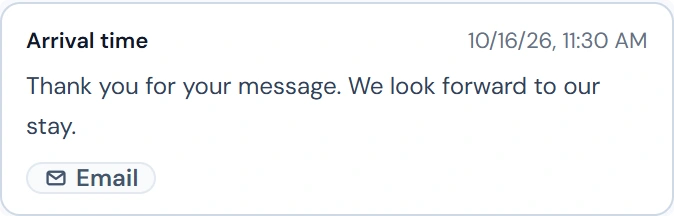
The example selects M. Berger’s conversation for B-1042. Read the existing arrival email before answering the next question.

Guest communication
Read previous advice before answering
Add a personal reply to a template
Use email and enabled portal channels
Check unread questions and delivery errors
Part of the STRYK Guest AI add-on module
How it works in your hotel
- 01With Guest AI, receive and reply to Booking.com messages in STRYK. This requires the Guest AI module and a configured connection for your property.
- 02One conversation per booking with full history
- 03Email via your own mailbox or a STRYK address
- 04Portal messages through enabled connections
- 05Channel set automatically from the booking source
- 06Emails from the hotel’s own sender address
- 07Templates with placeholders and preview before sending
- 08Unread replies clearly marked
Four practical jobs in daily hotel operations.
Question about parking
Two days before arrival, a guest asks whether the garage is free. You open the conversation for the booking, choose the ‘Directions and parking’ template and add a personal line.
OTA guest arriving late
An OTA guest reports a 10 pm arrival. With an active, enabled portal connection, reply through the associated portal channel and check the delivery status.
Regular with two bookings
Mr Novak has booked for May and August. The team deliberately chooses the right stay so the reply about breakfast does not end up on the wrong date.
Reply arrives in the evening
The guest replies after the shift has ended. In the morning, the early shift sees the unread message right on the booking and knows the whole conversation.
Common questions: Guest communication
What is guest communication in STRYK?+
STRYK keeps manual messages as a conversation attached to a specific booking. Guest, stay, dates, room, channel and delivery state therefore remain traceable together.
Why check the booking before replying?+
A guest may have several stays booked. Check the dates and room for the selected stay before replying, so arrival or breakfast information relates to the right visit.
Where does the team start a conversation?+
In the guest area or directly from guest details. The team selects the relevant booking there and then continues in the same conversation.
Does the employee choose the delivery channel freely?+
No. The channel is derived from the booking source. This keeps a direct booking in the email flow and an OTA booking in its intended channel context.
Which bookings use email?+
Direct, manual, phone, walk-in, website and STRYK Booking Engine reservations use email conversations. A valid guest email address is required for delivery.
How does STRYK message OTA guests?+
STRYK recognises bookings from connected portals and keeps the message in the relevant booking conversation. Messages to portal guests are sent via the portal, this is available for Booking.com and Airbnb, provided the portal is connected for your hotel. Direct and manual bookings use email.
Can an email be formatted?+
Yes. Emails can be created as clear plain text or HTML and reviewed before sending. Channel messages deliberately remain plain text.
How do message templates help?+
The property maintains recurring content such as arrival instructions, parking information or departure messages centrally. Active templates reduce work without losing booking context.
Which data can placeholders insert?+
The central placeholder catalogue can offer resolvable guest, booking, room, price and property data for the current context. A template therefore becomes a specific message for that stay.
What does the preview show?+
The preview combines subject and body with the details from the selected booking. Any unresolved placeholders are listed visibly before the team can send.
Can the same person have several conversations?+
Yes. When a returning guest has several stays, the team deliberately selects the relevant booking. Messages are not mixed indiscriminately in the guest profile.
What happens without an email address?+
Email delivery stops with a clear error. The team adds the contact details first instead of creating an apparently sent message.
Is message history retained?+
Yes. Sent and incoming entries remain readable against guest and booking with direction, channel, subject, body, state and time.
How do replies enter STRYK?+
The property can use the STRYK inbox or a connected mailbox. Forwarding or IMAP must be genuinely configured and tested before replies are assigned to the relevant booking thread.
How does the team spot new replies?+
Unread incoming messages appear in the shared message and notification context. The team can open them and deliberately mark them read.
Who may use guest communication?+
Reading and sending depend on dedicated permissions. An employee receives access to guests and messages only when the role genuinely requires that work.
Is delivery documented?+
Successful delivery creates a message state and activity entry with booking, guest, channel and subject. Failures are not recorded as success.
Can messages be automated?+
Yes. Hotel automations can trigger active templates along the stay. Conditions, test runs, execution history and error control remain visible in the automation area.
Does message history work on mobile?+
STRYK runs in the browser; authorised users open booking conversations, recent messages and unread entries there with the same permissions. The same applies in the STRYK app for iPhone and Android.
Are messages separated between properties?+
Yes. Messages, templates, bookings and guests remain clearly assigned to the relevant property. A booking from another property can never be used as message context.
What happens when delivery fails?+
Check the displayed delivery status and any recipient or mailbox errors. If the outcome is unclear, resolve the existing send request before sending the same message again.
Can the property use its own sender address?+
Yes. As an alternative to prepared STRYK delivery, a Google, Microsoft, IONOS or other mailbox can be connected through tested SMTP configuration. The external mail provider may charge its own fees.
Does guest communication cost extra as a module?+
Guest communication is part of STRYK Guest AI. Try free for 1 month. + €4.00 per room and €6.00 per apartment or holiday home per month. Guest AI is billed in advance; Intelligent Pricing is billed for the previous month. After the trial, both modules can be cancelled at any time effective at month-end; the STRYK contract’s three-month notice period does not apply. Guest AI periods expressly ordered with annual billing are committed from the order until the agreed annual service period ends, irrespective of payment receipt. Cancellation at that date can be recorded at any time; ordinary cancellation does not entitle the customer to a proportional refund of annual fees. Intelligent Pricing remains cancellable monthly even with annual STRYK payment. Statutory rights concerning defects, billing errors or justified extraordinary termination remain unaffected. 12-month contract, with cancellation notice due three months before the term ends. Without cancellation, the contract renews for 12 months. Monthly payment is the default. A switch to annual prepayment takes effect on the next billing date and starts a new 12-month term. Becomes paid after one calendar month unless cancelled.
Could Guest communication work for your hotel?
14 days free. All STRYK core apps included. No setup fee; optional AI modules are separate.
