

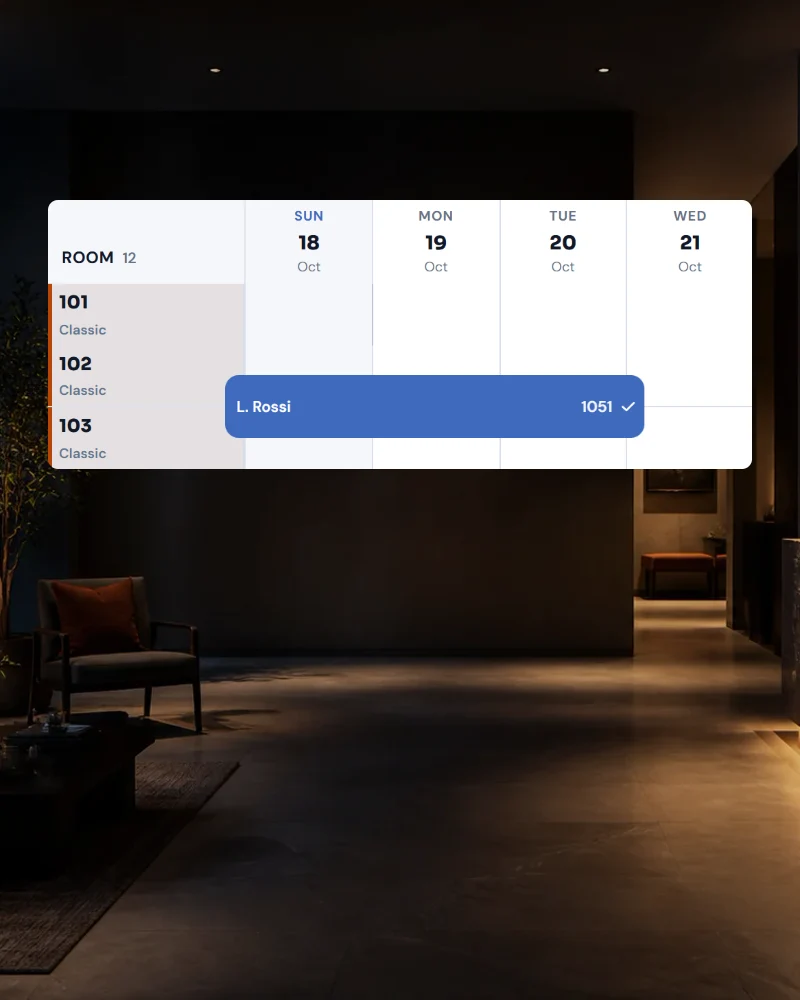
Two systems
Hotel software here, spreadsheet there. Every double booking happens at that seam.
In STRYK, every category has a type: Room or Apartment. Both share the same calendar, the same reception, the same cleaning plan and the same invoice. Your hotel runs as before, and apartments are added.
STRYK for hotels with apartments and mixed properties
Rooms and apartments in one calendar, with one reception, one cleaning plan and one invoice.

In short
STRYK runs hotels with apartments and mixed properties in one system. Every category is a room or an apartment, and both share calendar, reception, cleaning plan, invoice and reporting. Hotel rooms work as before, and apartments have a price per unit, arrival days and final cleaning.
A hotel with an annex, an inn with holiday flats or a mountain farm with chalets: the offer has grown, the administration often has not. Rooms are in the hotel software, apartments in a spreadsheet.
STRYK does not separate by program but by type. Every category is a room or an apartment. You choose the type per category, and the type of property "Mixed" shows "Rooms & apartments" in the navigation.
The team works with one calendar, one reception and one cleaning plan. Reporting and invoices include all units.
Hotel software here, spreadsheet there. Every double booking happens at that seam.
A room is sold per night, an apartment with an arrival day and final cleaning. Each needs its own rules.
The team gets a room list and an apartment list separately and has to merge them itself.
Occupancy and revenue across the whole house have to be added up first.
Many houses rent out more than rooms. Besides the hotel there are apartments in the building next door, holiday flats in the village or chalets on the hillside. When every unit sits in its own list, nobody adds it all up in the end.
Arrivals, departures and occupancy of the whole house are in one calendar, whether room or apartment.
You sell rooms at the usual price, apartments with a price per unit, arrival days and final cleaning.
Rooms and apartments are in the same cleaning plan. The apartment's final cleaning appears as its own line on the invoice.
Steps for a house that rents out rooms and apartments.
For new categories you choose the type, and existing rooms stay unchanged.
Set rooms, beds, price per unit, arrival days and final cleaning, and add units.
Booking page and portals work from the same availability. The booking page shows rooms and apartments.
Reception, cleaning and invoicing use the same processes for all units.
Room or Apartment. Existing rooms work as before.
Rooms and apartments with occupancy, arrivals and departures at a glance.
Price per unit, arrival days, minimum stay, weekly and monthly discount, final cleaning.
Rooms and apartments in the same plan, ordered by departure and re-occupancy.
Check-in, check-out, guest data and payment for rooms and apartments in one place.
Arrival directions, Wi-Fi and key box code in the guest portal, where no reception is staffed.
Room, final cleaning, breakfast, extras and tourist tax on one document per stay.
Occupancy and revenue across all units and both types.
You can try STRYK for 14 days with no setup fee.
Choose "Mixed" and create the first category.
Choose the type Apartment, enter units and rules.
Look at the calendar, cleaning plan and invoice for a test booking.
Yes. The type Room works as before. Apartments are an additional type.
Yes. An apartment has a price per unit and night up to the base occupancy, plus a surcharge for each additional person.
You link the extra for the mandatory final cleaning to the apartment category. It appears as its own line in the booking and invoice.
Yes. The booking page shows rooms and apartments with the details that fit each, for apartments layout, beds, size and kitchen.
14 days free. All core apps included. No setup fee.
