Skip to content
For reception

A calm front desk, even when everyone arrives at once.

STRYK brings booking, guest, room status, messages and invoice together in one view. Missing registration details, outstanding payments and rooms that aren’t ready yet stand out immediately, not only at check-in.

  • Live room status from housekeeping
  • Check-in and check-out in a few steps
  • Payments right on the booking

STRYK for front desk

Prepare arrivals before guest contact

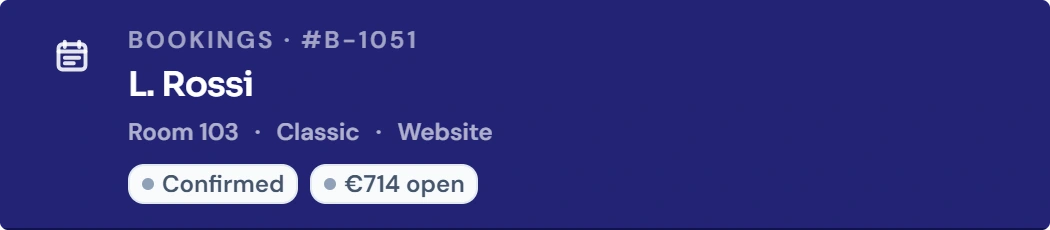
Arrivals, departures, room status, guest details and payment appear in the daily view and lead directly to the right stay.

STRYK for front desk
STRYK for front desk, Inside the product

In short

STRYK is front desk software for hotels in which the front office sees arrivals, departures, walk-ins, room status and invoices on one screen. Reception knows without a phone call which room is ready, and new bookings appear live in the calendar. Roles and permissions ensure that temps only see and do what belongs to their shift.

A good welcome starts with the right information.

A guest wants to check in early, a returning guest has sent an email and a departing guest needs an invoice addressed to their company. Reception needs the relevant details before taking the next step.

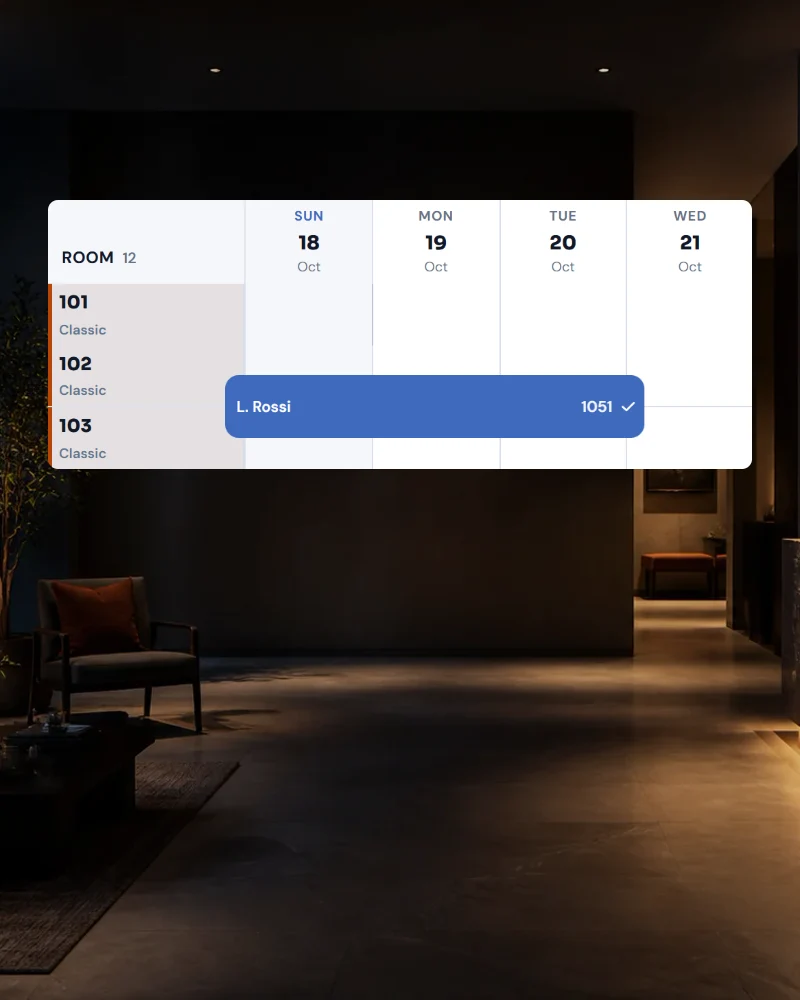
Use the STRYK calendar to check arrivals and room assignments. Housekeeping updates room status in the system; notes and open tasks stay with the booking. Open the stay to review its charges and related invoice.

For teams with changing staff, how quickly someone new can get going matters too. STRYK can be used in 18 languages, the workflows are clear, and with roles and permissions you decide what a weekend temp is allowed to do. Every change is recorded in the activity log, so the late shift knows what the early shift did.

What slows the front desk down today

01

Shouting between front desk and floor

“Is 204 ready yet?”, on a busy arrival day this question costs dozens of calls and trips. The guest waits in the lobby even though the room has long been clean. In STRYK housekeeping reports the status directly, and the front desk sees ready and inspected rooms in the calendar as soon as they are done.

02

Handovers on scraps of paper

Late check-out for room 112, invoice to the company, a cot for the family: arrangements like these are easily lost at shift change. In STRYK notes and tasks are on the booking. The activity log shows who changed what and when, so the next shift does not have to guess.

03

New colleagues, little training time

Seasonal staff and temps should be able to check guests in and take payments from day one, without being allowed to do everything. With roles and permissions each person sees only their own area. The interface is available in 18 languages, which saves a lot of explaining in international teams.

04

Errors on the bill at check-out

The dinner is missing, the city tax is wrong, the guest is standing at the counter with their suitcase. When items are only gathered at the end, mistakes happen. In STRYK services and POS items are already posted to the stay. The invoice is right the first time it is printed and cannot be changed afterwards.

Less searching, shorter waits, more time to talk to your guests.

At 3 pm, three guests are at the desk, the phone is ringing and one room isn’t ready yet. If you then have to switch between the calendar, the inbox and the till receipts, guests are left waiting.

At the start of the shift

See what matters today

Arrivals with missing details, outstanding payments or rooms not yet ready are right at the top.

At the desk

Answers without searching

Open the booking, message history, room and invoice with one click or via search.

At handover

The next shift is in the picture

Notes and open tasks stay with the booking. The next shift can read what was agreed and what still needs doing.

A shift at the front desk with STRYK

From early shift to handover: this is how a front office team works on a busy Friday.

  1. 6:45 am, start of shift

    The early-shift receptionist signs in with her Nextpulse ID. The day view shows twelve departures, eighteen arrivals and six stayovers. A portal booking came in overnight, and the night shift left a note: the guest in 115 wants the invoice made out to their company. Everything is where it belongs.

  2. 8:00 am, check-outs without a queue

    Departing guests come to the desk one after another. The invoice is already prepared; breakfast and bar drinks are posted to the rooms through the POS interface. The invoice for 115 goes to the stored company. If a deposit has already been paid online through the integrated payment service, it is offset on the invoice.

  3. 11:30 am, room allocation for arrivals

    Before lunch you assign rooms to the arrivals. The family with a toddler gets the quiet corner room, the regular guest his usual room 204. A room move is done with drag & drop. Housekeeping sees the allocation instantly and cleans the rooms in the right order.

  4. 2:20 pm, early guest, room ready

    A couple is at the desk forty minutes before check-in time. Instead of phoning the floor, you see in the calendar that room 204 was marked as inspected at 1:40 pm. Guests who have completed online check-in only need their key. For the rest, the registration details are captured directly on screen.

  5. 9:30 pm, walk-in and handover

    A walk-in asks for a room for one night. The late shift sees the free rooms and the price from the rate, creates the booking and checks the guest in. On connected portals the room is taken off sale once synchronisation has succeeded. Before handing over to the night shift, a glance at open tasks and notes is enough.

What the front desk uses in STRYK every day

  • Calendar with live updates

    Day, week, two weeks or month. New bookings from portals and website appear without reloading. Move bookings with drag & drop and create walk-ins directly in the calendar.

  • Room status from housekeeping

    Dirty, clean, ready, inspected or “Do not disturb”. The front desk sees the status of every room without phoning, and housekeeping sees the room allocation for arrivals.

  • Room allocation and room moves

    Assign rooms to arrivals before they turn up, including for multi-room bookings. A room move during the stay checks availability and protects against double occupancy.

  • Global search

    A name, a booking number, a company: search finds guest, booking or invoice from any screen. That saves clicking through menus at the counter.

  • Invoice and payment on the stay

    Services and POS items are already on the room. Invoices have gap-free numbering and cannot be changed once issued; corrections go through credit notes. PDF in the guest’s language.

  • Online check-in and kiosk

    As separate modules included in the core price: guests enter registration details, ID and signature in advance or on a device in the lobby. The front desk reviews and approves instead of retyping forms.

  • Roles, permissions and activity log

    Decide who may cancel, change rates or issue invoices. Every change can be traced in the activity log. Unlimited users, each person with their own login.

  • Gift vouchers at the counter

    Sell vouchers directly at the front desk, including a PDF with QR code. On redemption STRYK checks the remaining value, and partial redemptions are possible.

When STRYK noticeably eases the load on your front office

A good fit if …

  • your front desk currently works with several programs, a phone line to housekeeping and handover notes.
  • you often have to train new colleagues, seasonal staff or temps.
  • your team is international and should work in its own language.
  • restaurant, bar or spa should post services to the room through a till.

Less suitable if …

  • you want to encode key cards from the hotel software at check-in. There is no integration with locking systems.
  • you take cash or card payments at the front desk but do not want to book an add-on. In Austria and Germany, STRYK signs these payments only with the ‘Cash register & fiscalisation’ module; without it they are blocked there.
  • your front office manages tour groups with room allotments and rooming lists. There is no group and allotment management.

How to bring your team on board

The front desk learns STRYK best with a real day from your hotel.

  1. Try it for 14 days or watch a demo

    In the trial account you run through a full arrival day with your rooms: assign rooms, report status, create a walk-in, produce an invoice. If you like, we will show you STRYK beforehand in a demo based on your typical hotel day. Afterwards your front office manager knows how the work will change.

  2. Data import with a test run

    Future bookings, guests and companies are transferred through a data import. The test run shows beforehand what is complete and where details are missing. So on the first working day with STRYK every existing reservation is in the calendar, and nobody has to look things up in the old system.

  3. Go live with personal logins

    Each team member gets their own login through Nextpulse ID with a second factor and a suitable role. Portals and website are switched over on a quieter day. From then on the front desk works only in STRYK, and the activity log records every change.

What hoteliers want to know before they start

Can the front desk see whether a room is ready?+

Yes. Housekeeping reports room status directly in STRYK: dirty, clean, ready or inspected. The front desk sees the status in the calendar without phoning the floor. In turn, housekeeping sees which rooms you have assigned to arrivals and can get them ready first.

How can our team learn to use STRYK?+

Start with a test booking: prepare an arrival, assign a room and open the related invoice. STRYK is available in 18 languages. Use roles and permissions to control access to each area; additional users cost nothing.

What happens if a walk-in and a portal booking come in at the same time?+

STRYK’s overbooking protection works on every booking channel. Once a room is given away at the front desk, it can immediately no longer be booked on the website, and on the portals once synchronisation has succeeded. If a booking for the same room comes in at the same moment, the conflict is detected instead of the room silently being occupied twice.

Can the restaurant and bar post directly to the room?+

Yes, through the POS interface. Your restaurant, bar or spa till posts items directly to the room, and STRYK detects items sent twice. At check-out all services are on the room bill. Your restaurant or bar till remains your till. For payments at the front desk, Austria and Germany have the ‘Cash register & fiscalisation’ add-on.

Can the front desk still change an issued invoice?+

No, and that is intentional. Issued invoices have gap-free numbering and cannot be changed. Corrections go through a credit note and a new invoice. That way every change remains traceable, for your accountant too. Until the invoice is issued, you can add or correct items on the stay at any time.

What does STRYK cost for a hotel with 40 rooms?+

On annual billing (12 months, renewing for a further 12 months each time), net plus VAT, a €59 base price plus 40 × €6, so €299 a month, with unlimited users for front desk, housekeeping and office. In the first year you get 20% off the base price; monthly billing costs 20% more. There is no setup fee. Online check-in and kiosk are separate modules included in the core price.


Start with your first booking in STRYK.

14 days free. All core apps included. No setup fee.

Questions about STRYK?